
Could turning off Wi-Fi at night help you sleep? It may help you disconnect from lit up screens and notifications. Whether reducing wireless exposure itself improves sleep is a separate question, and the research deserves a closer look.
Some studies report changes in sleep ratings or brain activity after radiofrequency exposure. Others find no measurable worsening of sleep. Newer research also raises questions about further biological effects.
➡️ Explore AV Edge Wristbands/Bracelets with EF Technology (not magnets)
➡️ Explore AV Edge Protect Filters
Here is what those findings mean for your bedtime routine.
What Does the Research Say About Wi-Fi and Sleep?
A 2024 study reported poorer sleep during wireless exposure
A double-blind, randomised pilot study tested overnight exposure to a 2.45 GHz baby monitor in 12 healthy adults.
Participants spent seven nights with an active monitor and seven with an inactive monitor, separated by a washout period. They did not know which condition they were experiencing.
During active exposure, participants reported significantly poorer sleep. Researchers also recorded changes in brain activity during non-REM sleep. However, movement-based sleep measurements and heart-rate variability did not differ significantly.
This is relevant because it tested repeated nights in people’s homes. It was also small and used a baby monitor, not a Wi-Fi router. The researchers called for larger studies with better exposure measurements.
A 2020 Wi-Fi study reached a different conclusion
A controlled study involving 34 healthy young men compared active and sham 2.45 GHz Wi-Fi exposure in a sleep laboratory.
Researchers detected a change in one brain-activity frequency band, but no significant worsening of reported sleep or overall sleep structure.
Together, these studies show why “brain activity changed” and “sleep became worse” are not interchangeable. They also tested different devices, exposure patterns and settings.
A 2022 study explored effects beyond heating
A laboratory study published in Cells exposed fruit flies to controlled, Wi-Fi-related 2.4 GHz signals under conditions the researchers described as non-thermal.
They reported changes in DNA regulation, increased reactive oxygen species, genomic instability and altered movement behaviour.
The study did not measure human sleep. Its importance here is different: it investigated possible biological effects that cannot be answered simply by saying Wi-Fi is non-ionising.
A 2026 Swedish study raised a wider sleep question
Research by Mona Nilsson and Lennart Hardell examined Swedish specialist outpatient records from 2001 to 2024.
Recorded diagnoses in one sleep-disorder category increased substantially, especially among children and young adults. Another category, non-organic sleep disorders, showed no major change.
The authors suggest that increased radiofrequency exposure and screen use may contribute to sleep problems. However, they did not measure either exposure in individual patients. The study identifies a trend and proposes explanations; it cannot determine whether Wi-Fi caused it.
Why “Non-Ionising” Is Not the Whole Answer
Wi-Fi uses non-ionising radio waves. Their individual photons do not carry enough energy to directly break DNA bonds in the way ionising radiation can.
That distinction matters, but it does not rule out every possible indirect biological pathway. Researchers also investigate effects involving oxidative stress and changes in cell regulation.
The UK Health Security Agency’s position is that there is no consistent evidence of harm from Wi-Fi exposure and no need for additional exposure-reduction measures.
That guidance belongs alongside the newer findings, rather than replacing discussion of them.
What About Modern Mesh Wi-Fi?
Mesh systems use multiple access points. Wi-Fi 6E adds access to the 6 GHz band, while Wi-Fi 7 introduces features such as wider channels and multi-link operation.
These differences mean an older study cannot answer every question about a modern household network. But faster speeds or more nodes do not automatically mean greater exposure. Distance, transmission power, traffic and radio settings all matter.
Seven Ways to Manage Wi-Fi Overnight
Choose a method that matches your aim, whether that is reducing distractions, limiting wireless transmissions or managing children’s screen time.
- Switch off Wi-Fi on individual devices. This disconnects that device from Wi-Fi, but your router continues transmitting. Phones may switch to mobile data.
- Unplug the router. This stops its wireless transmissions and wired internet access. Separate mesh units may remain powered.
- Disable the wireless radios. Use the router’s settings to switch off its active Wi-Fi bands. Ethernet usually remains available.
- Set a Wi-Fi schedule. Some routers can disable their radios during chosen hours while staying powered.
- Use the router’s app. Check whether its controls disable Wi-Fi or merely pause a device’s internet access. These are different functions.
- Use a timer plug. A suitable timer can restore power automatically. Smart plugs need schedules that work without Wi-Fi or internet access.
- Apply parental controls. Scheduled access limits can reduce bedtime device use, but they do not necessarily stop wireless transmissions.
For mesh systems, check every transmitting unit. Switching off only the main router does not guarantee that satellites stop broadcasting.
Curious About AV Edge? Hear From Our Customers

If this has you thinking about your sleep and everyday technology habits, take a look at the experiences AV Edge customers share.
One wristband customer wrote:
“I have found my sleep has really improved since wearing the wristband”
A customer who tried our Protect Filters shared:
“so for me the filters help me carry on with ordinary life.”
These are individual experiences, and results vary. You can read their full stories on our customer reviews page.
Ready to explore the range?
- Shop AV Edge Wristbands, including our Legend and Advanced styles.
- Explore AV Edge Protect Filters for mobile phones, laptops and tablets.
Read the experiences, explore the options and choose what fits your routine.
Check What Your Household Needs Overnight
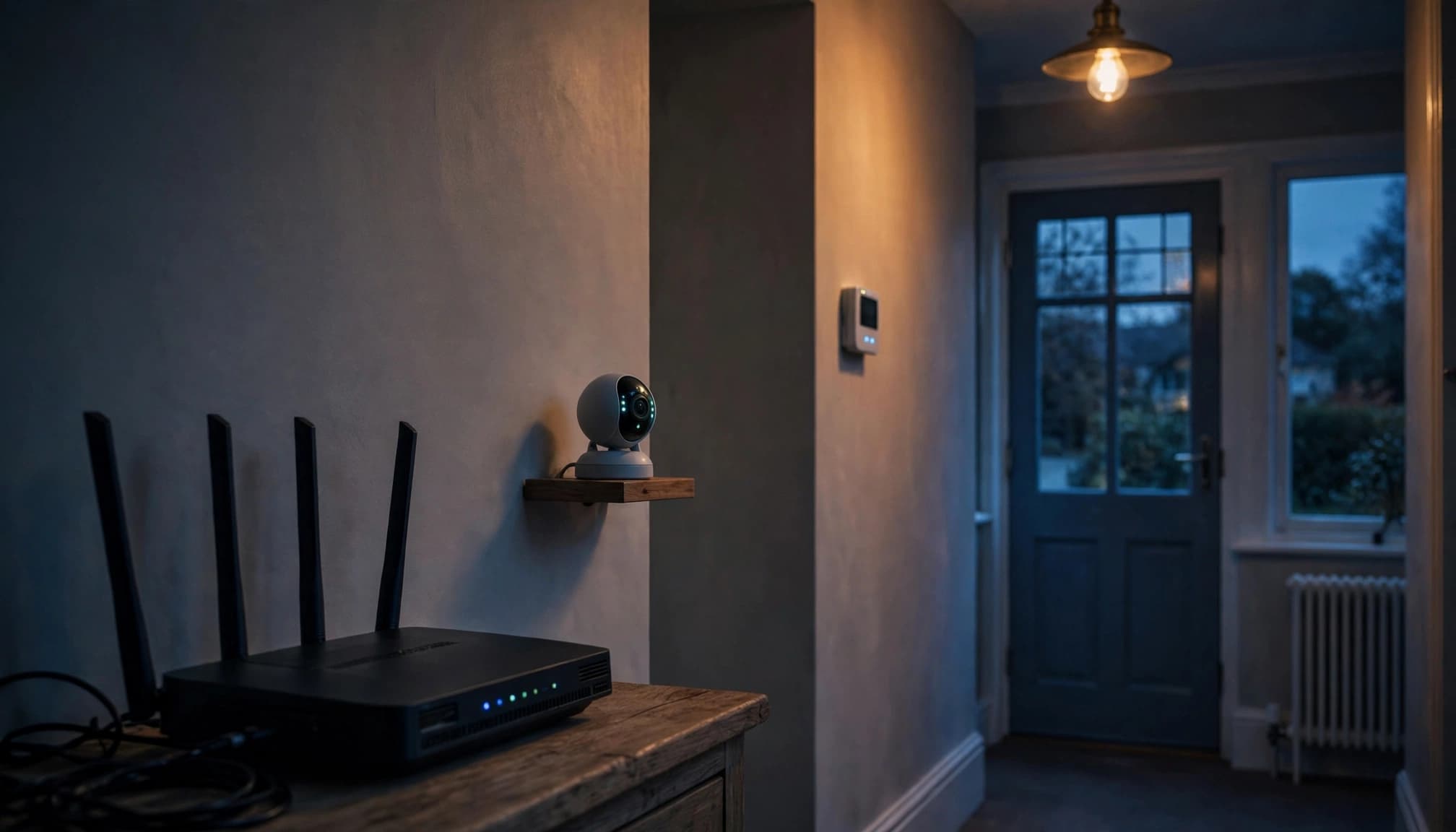
Security cameras, heating controls and smart locks may lose remote access or alerts. Some retain local functions. Backups and updates may also be delayed.
Protect emergency access first. Internet-based home phones and Wi-Fi calling may stop working, which matters where mobile reception is poor.
If you need wired connections overnight, disabling the wireless radios is usually more practical than cutting router power.
Are There Other Benefits?
Electricity savings are modest. A 10 W router switched off for eight hours daily saves 29.2 kWh annually, or £7.30 at an illustrative rate of 25p per kWh.
Battery savings are less predictable. A phone switching to mobile data, especially with weak reception, may use more power.
The Bottom Line
Turning off Wi-Fi at night is a household choice that more and more people are choosing, but we must recognise it is not a proven sleep treatment.
There is evolving evidence that is worth investigating, including a study reporting poorer sleep during wireless exposure. There are also studies that did not find sleep disruption.
You do not need to assume either harm or no effect. Consider the evidence, preserve essential wired connections and choose a night-time routine that works for you.


